
iScorely – Smart iPhone Comparison Tool
(Compare 2 or 3 Models)
Compare 2 or 3 iPhone models by camera, display, battery, CPU, chipset, performance, value, and more with clear score-based results.
See which iPhone wins in each category and choose the better option faster.
Score-based comparison • Clear winners per spec • Save reports • iPhone + iPad supported
What iScorely Does (Quick Summary)
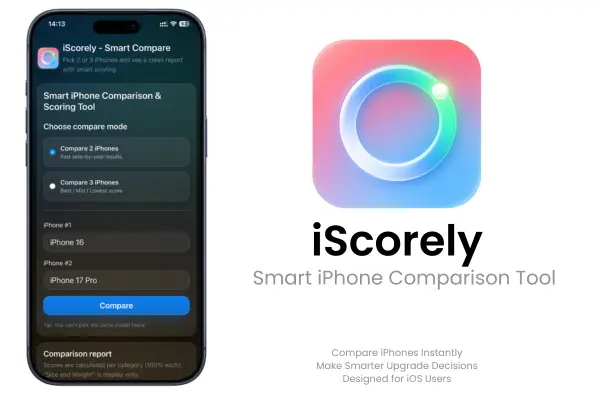
iScorely is built to help you choose the right iPhone without wasting time.
- Compare 2 iPhones or 3 iPhones side-by-side
- See each key spec explained one-by-one (not a messy wall of data)
- Get a score per specification per model to spot winners fast
- Generate a full iPhone comparison report you can save and revisit anytime
If you’re shopping, upgrading, or just curious, iScorely makes iPhone specs feel simple and usable.
iScorely Features
- Compare 2 or 3 iPhones at once
- See clear scores for each key category
- Compare camera, display, battery, CPU, chipset, and performance
- Find the winner in each section faster
- Understand which iPhone gives better value
- Make upgrade decisions with less guesswork
- Turn specs into a cleaner buying decision
- Get a simpler, faster comparison experience
Compare iPhones for a Smart Decision
Most comparison pages show specs, not answers.
That is where iPhone shopping starts to feel slower than it should. You open one comparison page, then another, then another, and still end up asking the same question: which iPhone actually makes the most sense for me?
iScorely is built to answer that question more clearly.
Instead of showing specs without direction, iScorely helps turn comparison data into a decision you can actually use. It is made for people who care about real buying priorities like battery life, camera value, overall performance, and whether paying more is actually worth it.
This is not just another spec page. It is a smarter comparison tool for real iPhone buying decisions.
What iScorely Does
iScorely helps you compare iPhones in a clearer, more decision-ready way.
Compare 2 or 3 iPhones side by side
Use iScorely when you want to compare:
- your current iPhone vs a possible upgrade
- two new iPhones before buying
- three models when the choice feels harder
Turn specs into easier decisions
Instead of leaving you with a long wall of numbers, iScorely helps show:
- category winners
- score-by-score comparison
- which differences matter most
- whether the upgrade feels worth it
Focus on what matters most to you
You can compare iPhones based on the priorities that actually affect daily use:
- battery-first
- camera-first
- value-first
- performance-first
- display-first
Why iScorely Is Different
A lot of comparison pages make users do too much work on their own.
They show numbers, but they do not clearly help with the decision.
iScorely is built differently.
👉 You do not just see specs — you see what wins
It helps show which phone comes out stronger in the categories that matter most.
👉 No endless spec walls
The goal is to make comparison easier to understand, not more exhausting.
👉 Built for decision clarity
iScorely is made for buyers who want a cleaner answer before spending money.
👉 More useful for upgrade decisions
If you are comparing your current iPhone with a possible upgrade, iScorely helps frame that choice more clearly than a raw spec table alone.
How the iScorely Scoring Works
Score per specification (not one vague score)
iScorely doesn’t give one confusing “overall score” and call it a day.
It scores the important categories separately, so you can see the real winners.
Each iPhone gets a score for each category, so you can see:
- Which model wins battery
- Which wins camera
- Which wins display
- Which wins performance
- Which wins other specs
This is the difference between reading a spec sheet and actually understanding the upgrade.
You choose what matters
Not everyone buys an iPhone for the same reason. Some people want battery life. Others care about camera improvements. Many just want the best value.
iScorely helps you focus on your priorities—like:
- Battery-first (travel, heavy daily use, fewer charges)
- Camera-first (photos, video, content)
- Value-first (best upgrade per dollar)
- Performance-first (speed, longevity)
- Display-first (screen quality, viewing comfort)
Optional mini selector idea: Battery / Camera / Value / Performance / Display
That way, your comparison report feels personal and decision-ready, not generic.
What the Scores Mean
The point of iScorely is not to hide the decision behind one vague score.
It is built to make the comparison easier to understand.
👉 Score by category, not one vague overall score
Each phone is judged across separate decision areas so the result feels more practical.
👉 Winner-by-category helps buying decisions
Battery, camera, value, and performance do not matter equally to every buyer. Category winners help show where each phone is actually stronger.
👉 Why value-first scoring matters
The most expensive iPhone is not always the smartest buy. Value scoring helps show where the best balance may be.
👉 What iScorely does not try to do
iScorely is not built to replace every deep technical chart on the internet. It is built to help buyers get to a clearer decision faster.
When iScorely Is Most Useful
iScorely works best when the choice feels close, but not clear.
👉 You are deciding whether to upgrade this year
Compare your current iPhone against a possible upgrade and see whether the jump feels meaningful.
👉 You want the best iPhone for battery life
Battery matters more to some users than almost anything else. iScorely helps make that easier to compare.
👉 You care more about value than hype
Not every new iPhone is automatically the smartest purchase. iScorely helps show what feels worth the money.
👉 You want a camera upgrade that actually feels worth it
If camera quality is a major reason you upgrade, iScorely helps frame that difference more clearly.
👉 You are stuck between two or three iPhone options
That is exactly the kind of situation this tool is made for.
Which iPhone Is the Best Value for You?
Tip: Best value is not always the newest model.
A newer iPhone may look better on paper, but that does not always mean it is the smartest buy for your everyday use, your budget, or your upgrade timing.
👉 Why upgrade cost should match everyday benefit
If you are paying more, the improvement should feel meaningful in real life.
👉 Why the “best” iPhone is different for different buyers
Some people care most about battery. Others care about camera, performance, or the best overall deal. iScorely helps keep that difference clear.
👉 How iScorely helps avoid a money-waste upgrade
The goal is not to push the most expensive option. The goal is to help users choose the phone that actually makes sense for them.
Why You Can Trust iScorely
Trust matters when a comparison tool is helping users make a real buying decision.
👉 Built around real buying priorities
iScorely is designed around the things people actually think about before buying a new iPhone: battery, camera, performance, value, and overall fit.
👉 Clear category scoring
Instead of one unclear score, the comparison stays more transparent by showing where each phone stands.
👉 Designed to save time
It helps reduce comparison fatigue by making the output easier to understand on mobile and desktop.
👉 Useful for multiple comparison styles
Whether you are battery-first, camera-first, or value-first, iScorely helps keep the comparison practical.
👉 Built for people who want a cleaner answer
The goal is to help users move from endless comparison browsing to a more confident decision.
Compare iPhones in 60 Seconds in 2026
iScorely is built to feel quick on mobile. You don’t need to open 10 tabs or read a giant chart to get a clear answer.
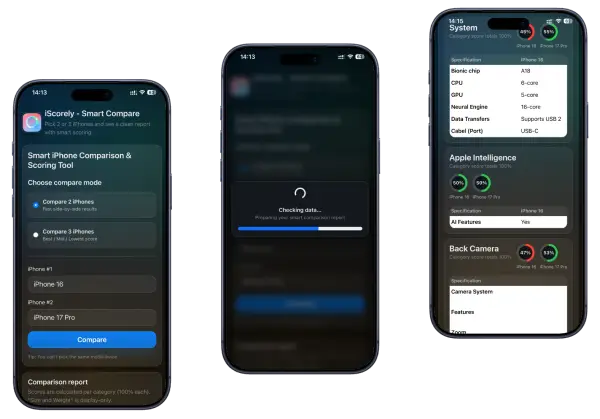
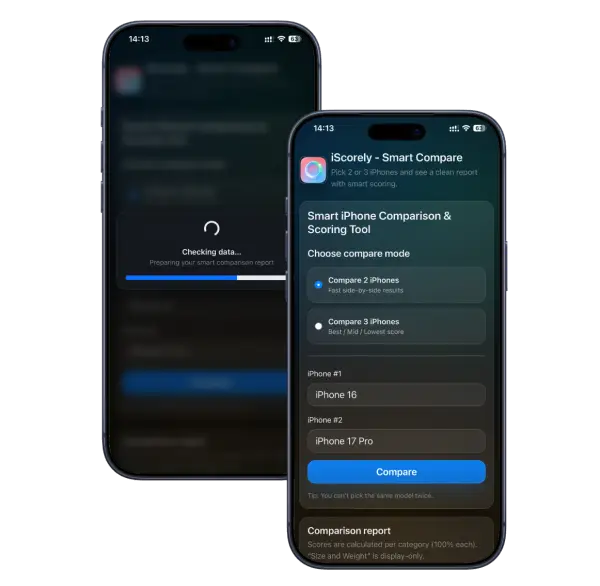
Step 1 — Choose 2 or 3 iPhone models
Pick your current iPhone and the one(s) you’re considering.
This works great when you’re comparing “my current phone vs the upgrade” or choosing between two new options.
Step 2 — View the score-by-score report
You’ll see winners per spec, clearly explained.
Instead of one big table, iScorely walks you through each key category so you understand why a model wins.
Step 3 — Save your comparison report
Keep it for later, share it, or revisit before you buy.
This is useful if you’re waiting for a deal, comparing storage options, or deciding whether the upgrade is worth it.
Ready to compare? Install iScorely through iPrimer and run your first report.
What You Can Compare Inside iScorely
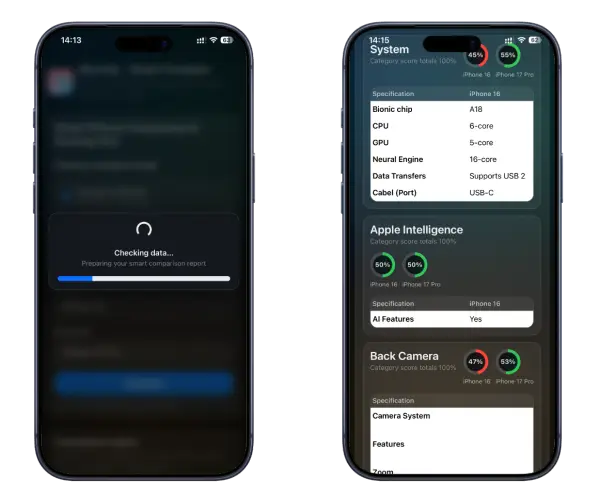
Use iScorely to compare iPhone models the way real people decide:
- Battery and charging basics
- Camera upgrades (real-world differences)
- Display size and quality
- Performance and “speed feel”
- Storage options and value
- Day-to-day usability changes
If you care most about battery, camera, or more specs, iScorely makes those differences easy to spot, without spec overload.
Who iScorely Is For
iScorely is built for buyers who want a faster and clearer answer before choosing an iPhone.
» People deciding whether to upgrade
If you are unsure whether a new iPhone is actually worth it, iScorely helps frame that comparison more clearly.
» People comparing two or three iPhones before buying
It is useful when you already know the options you are considering, but want a cleaner way to choose.
» People who care about value, not just specs
The best-looking spec sheet is not always the best buy.
» People who want a faster answer on mobile
iScorely is built to simplify a comparison that often becomes too long and too cluttered on a phone screen.
Download iScorely Smart iPhone Comparison Tool
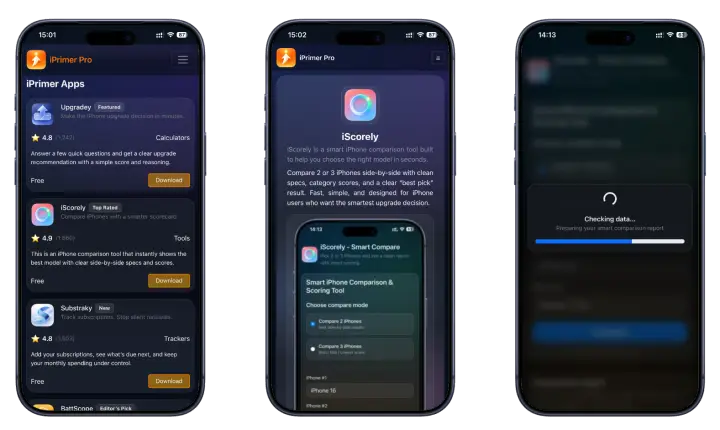
Download iScorely through the iPrimer Productivity Store and compare 2 or 3 iPhones in minutes. Open iPrimer, install iScorely, and get clear winners per spec with a report you can save anytime.
• No subscriptions • No jailbreak • No PC • Fast & easy installation
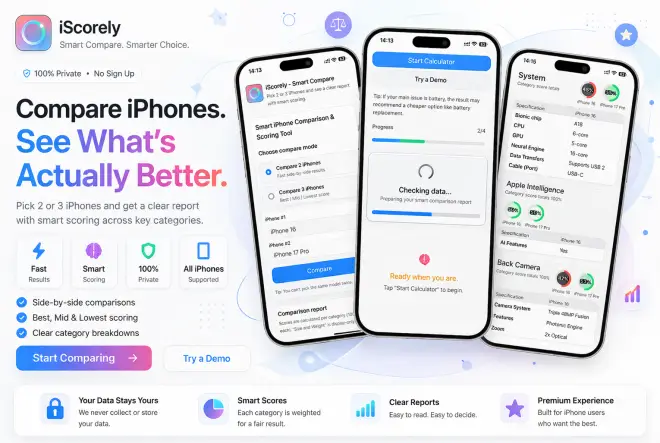
Download iPrimer and install iScorely to compare your next iPhone in minutes.
Why Important iScorely for You?
“Should I upgrade my iPhone or wait?”
Compare your current iPhone against the model you’re considering and look at the score-by-score changes.
If the wins are small in the areas you care about, waiting is often the smarter move. If the improvements hit your priorities, you’ll see it fast.
“Which iPhone is best for battery life?”
Run a comparison focused on battery and daily-use categories.
iScorely highlights which model wins and makes it easy to spot the best choice for heavy use, travel days, and fewer charges.
“Which iPhone camera upgrade is worth it?”
Compare camera-related categories side-by-side and check the winners.
This is useful when you’re upgrading mainly for photos or video and want to avoid paying extra for changes you won’t notice.
“Which iPhone is the best value?”
Use iScorely’s value-focused scoring to find the best upgrade per dollar.
It helps you avoid overspending on features that don’t matter for your everyday use.
Get iScorely Through iPrimer
iScorely is included inside iPrimer, so you get more than just an iPhone comparison tool.
What else you get inside iPrimer
BattScope — Battery Health Analyzer
Check whether your iPhone battery is still worth keeping or whether replacement planning makes more sense.
Substraky — Subscription Tracker
Track subscriptions, renewal dates, and monthly totals without linking sensitive financial details.
Upgradey — iPhone Upgrade Decision Calculator
See whether upgrading now makes sense or whether waiting is the smarter move.
Access iScorely Through iPrimer (Install Path)
Why iScorely is inside iPrimer
iPrimer is the main productivity store that includes iScorely and other tools in one clean place.
Instead of hunting for separate installs, you open one appstore-style hub and pick the tool you need.
How to get iScorely (No PC)
Getting started takes only a few minutes:
- Download iPrimer (iPrimer Store > Read More →)
- Open iPrimer and install iScorely
- Start comparing iPhones and saving reports
No computer. No jailbreak. No complicated setup.
iScorely Compatibility in 2026
- Optimized for modern iOS (iOS 26+) – fully supported
- Compatible support: iOS 17–18
Works for iPhone and iPad (only compare iPhone models)
iScorely FAQ 2026
1) What is iScorely?
iScorely is a smart iPhone comparison tool that lets you compare two or three iPhone models and view a clear report with winners and scores for key specifications.
2) Can iScorely compare 3 iPhones at once?
Yes. You can compare two iPhones or three iPhones side-by-side, which is useful when you’re choosing between multiple upgrade options.
3) How is iScorely different from spec tables?
Spec tables show raw numbers. iScorely adds scores per specification and shows winners with scores category by category, so the comparison feels decision-ready instead of overwhelming.
4) Does iScorely show winners for each specification?
Yes. iScorely highlights winners for key categories like battery, camera, display, performance, and more specs, so you can quickly see what wins and why.
5) Can I save my iPhone comparison report?
Yes. iScorely generates a full comparison report you can save and revisit anytime, which helps if you’re waiting for a deal or deciding later.
6) Is iScorely free inside iPrimer?
iScorely is included inside iPrimer. If your access is lifetime with updates (as you stated for iPrimer), you can position it as included for iPrimer users with lifetime access and updates.
7) How do I download iScorely?
You download iScorely through the iPrimer Store. Install iPrimer first, then open it and select iScorely from the tool list.
8) Do I need a computer to install iScorely?
No, iScorely can be installed without a Windows or Mac computer because it can be installed through iPrimer on your iPhone or iPad directly.
9) Does iScorely work on iPhone and iPad?
Yes. iScorely works on both iPhone and iPad on supported iOS versions.
10) Is iScorely safe to install and uninstall?
Yes. iScorely does not require jailbreak and is designed for easy install and easy uninstall through standard device steps.
11) What iPhone models can I compare?
You can compare supported iPhone models available inside the iScorely selector. Choose any two or three models you want to review side-by-side.
12) Which is better for me: battery, camera, or value?
That depends on your daily use:
- Choose battery if you want fewer charges and stronger daily endurance
- Choose camera if photos/video are your main reason to upgrade
- Choose value if you want the best upgrade per dollar without overspending
iScorely helps by showing winners per category, so your choice matches what you care about most.